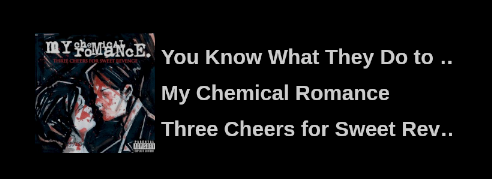
A customizable OBS Overlay for ListenBrainz to show your currently playing song.
- Make a ListenBrainz account if you don't have one already.
- Download the index.html of the project.
- Add a Browser Source to OBS and set it to wherever you downloaded the .html file.
- Example:
file:///home/user/Downloads/ListenBrainz-OBS-Overlay/index.html
- Add configuration parameters to the URL of the Browser Source.
- Example:
file:///home/user/Downloads/ListenBrainz-OBS-Overlay/index.html?username=your_username&opacity=0.5&imageSize=200&infoAreaWidth=500&fontSize=35&refreshInterval=2&hideAlbumArt=false - Parameters:
username: Your ListenBrainz username. (Required)opacity: Opacity of the overlay (0-1). Default is1.imageSize: Size of the album art image. Default is200.infoAreaWidth: Width of the info area. Default is500.fontSize: Font size of the info area. Default is35.refreshInterval: How often the song data is refreshed in seconds. Default is2.hideAlbumArt: Whether to hide the album art. Default isfalse.