- python (https://www.python.org/downloads/)
- Graphviz package (https://graphviz.org/download/)
- pandoc (https://pandoc.org/installing.html)
- Provide your system model in the threatModel.py file. Existing elements such as ThreatModel, Server, DataStore, DataFlow, Boundary, or Actor can be imported and used to assist with model creation.

- Provide detailed properties to the elements to make the threat detection as accurate as possible.
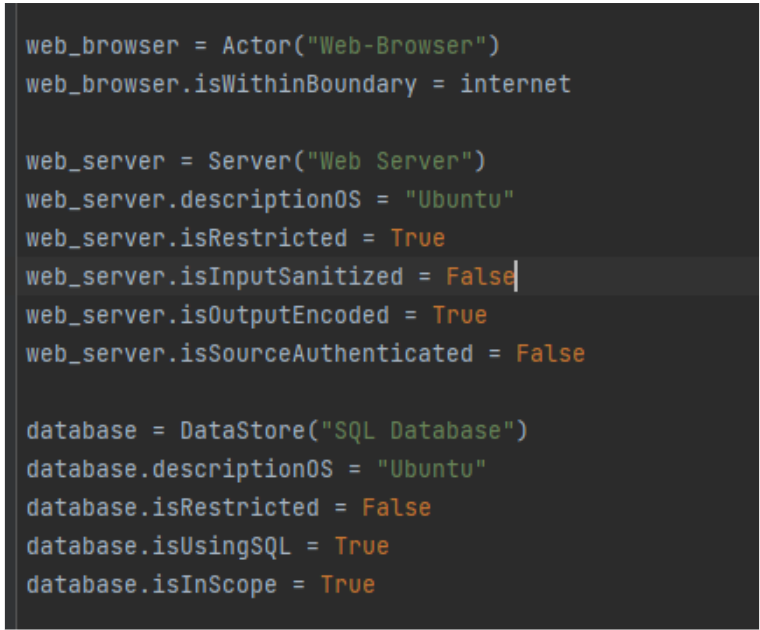
- Run the tool using the bash command line. Run the run.sh script which will prompt for various options. Type A to generate the DFD diagram and B to generate the report.
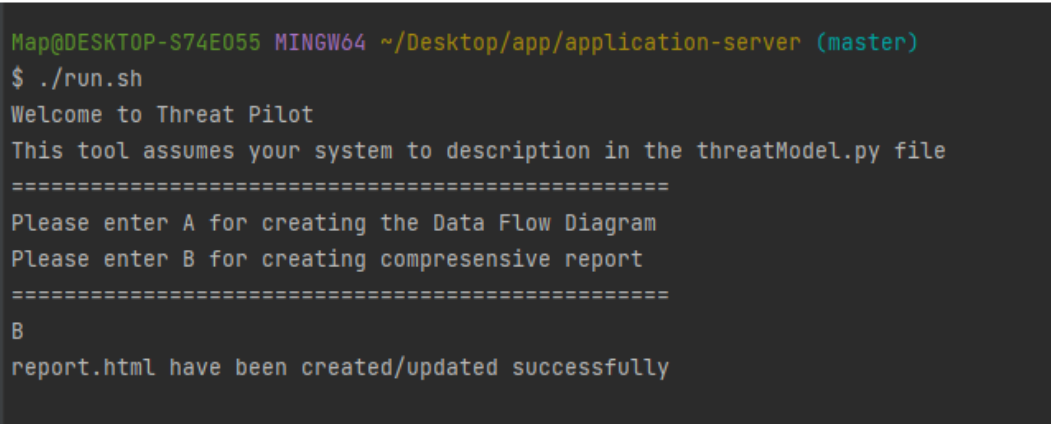
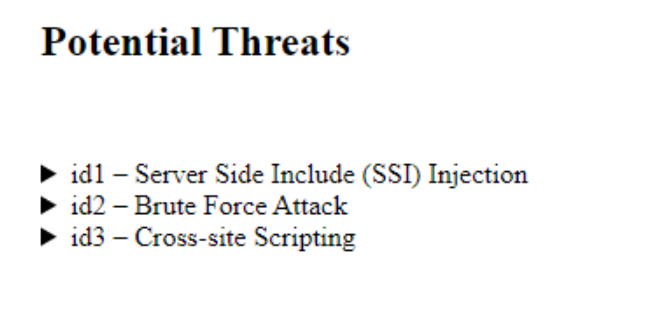
- The report will list all potential threats applicable to the system.
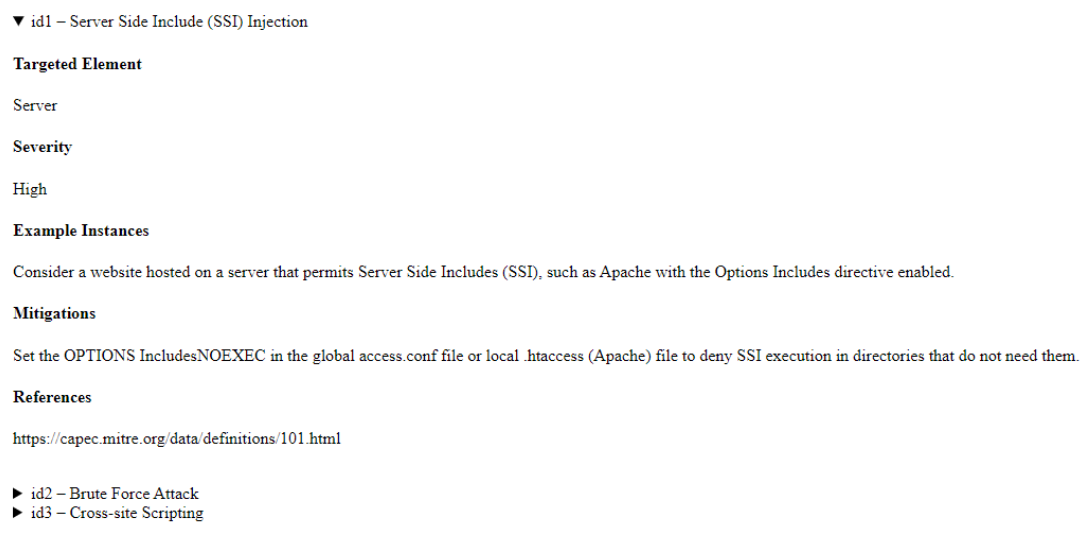
- Further details about the threat can be obtained by expanding it.
Dataflow Diagram generation inspired from PyTm https://github.com/izar/pytm
Sara Shikhhassan - 101142208, Sam Al Zoubi - 101140949, Tejash Patel - 101131066, Jatin Kumar - 101092120
We conducted extensive testing of the code in different scenarios and use cases to identify and address any potential bugs following is the list of some of them;
- The environment is not consistent across different operating systems, and the features listed are optimized for Windows.
- Occasionally, in the HTML report, some threats may not be picked, and we were unable to fully debug the cause of this due to time limitations.
This is a Python implementation of a Threat Pilot Prototype. It defines classes for representing elements such as threats, findings, boundaries, and user inputs, and provides methods for processing and validating these elements. It also includes functionality for generating unique identifiers, reading data from a SQLite database, and drawing a DFD (Data Flow Diagram) for visualization. This code is a part of a larger framework for building and analyzing threats.
A threat modelling tool’s objective is to help you identify, access, and prioritize potential security vulnerabilities and threats to your given system. Several threat modelling tools currently exist with several limitations, such as threat reporting, lack of flexibility, and limited functionality. In this project, we propose the development of a new threat modelling tool called Threat Pilot, which addresses these limitations by reusing strengths of current modelling tools while addressing their weaknesses. This project is the first of numerous initiatives that will contribute to Threat Pilot's long-term objective. By investigating and assessing the strengths and weaknesses of the currently available threat modelling tools, developing a comprehensive set of requirements for the envisioned tool, outlining these components in a Software Requirement Specification document, creating a Software Design Document and build a working prototype that implements important functionality of Threat Pilot. The goal of the prototype solution is to test different libraries, and raise questions of design feasibility. The following prototyping steps were performed for identifying potential issues before committing to a full-scale development effort.
Here's a high-level overview of what the code does:
- Imports necessary modules for different functionalities.
- Defines classes such as UserInput, customInstance, customBoundary, and customElement for specific behavior when getting or setting attributes on instances of other classes.
- Implements a function called generate_unique_id that generates a unique ID string by hashing an object's identifier and UUID.
- Implements a debug function that writes a debug message to the standard error output based on a debug flag.
- Defines a Threat class that represents a threat in threat modeling. It has attributes such as threatSID, threatDescription, threatDetails, etc., which are set during object initialization using a tuple of values.
- Defines a Finding class that represents a finding in threat modeling. It takes a name and a Threat object as arguments during object initialization and sets attributes based on the Threat object.
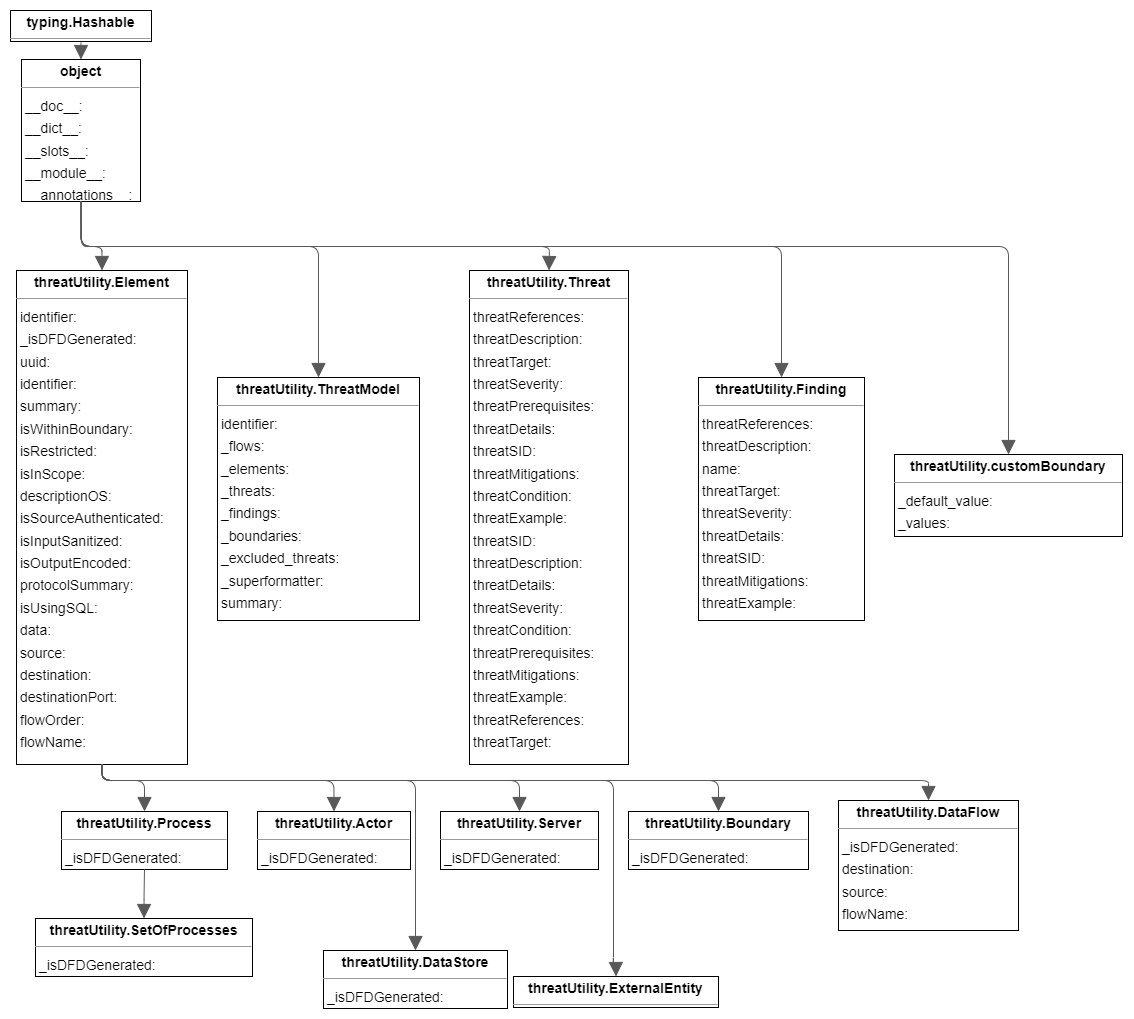
- Defines a ThreatModel class that represents a threat model. It has attributes such as _flows, _elements, _threats, etc., which are initially empty lists.
- The ThreatModel class has a constructor that takes an identifier as an argument and initializes the _superformatter attribute with a SuperFormatter object. It also connects to an SQLite database named threats.db and fetches rows from the threats table to populate the _threats list.
- The ThreatModel class has several methods including resolve_findings that iterates over _elements and _threats to identify findings based on threats' conditions, validate that validates the threat model, and draw_dfd that prints a graph definition for drawing a threat model using Graphviz.
- The ThreatModel class also has descriptor attributes such as summary that can be accessed and modified using the _default_value and _values attributes of the descriptor classes.
We built the Threat Pilot Prototype using Python and SQLite database. The system consists of two main files: createSqlDb.py, and threatUtilities.py. In createSqlDb.py, we imported the necessary modules, created an SQLite database in RAM using sqlite3, and defined the structure of the 'threats' table with various columns such as SID, target, description, details, severity, condition, prerequisites, mitigations, custom example, and custom references. We then inserted sample threat data into the table using INSERT INTO queries. In threatUtilities.py, the main application logic resides with necessary classes such as ThreatModel, Element, and it subclasses.
One of the challenges encountered during the development of this prototype was ensuring the accuracy of the data used for threat modeling. Initially, we decided to use standard threat libraries, but later realized that they did not fully meet our requirements. As a result, we had to make the decision to create our own small database from which threats would be selected. Threat Pilot application has complex architecture with multiple layers, components, and dependencies. Understanding and accurately prototyping the interactions and dependencies among these components was challenging. We had to ensure that the Threat Pilot prototype accurately represents the potential threats and vulnerabilities in the system. But we only had limited time to work on this prototype, as our majority of time is spent in requirements gathering and analyzing software design, so finding the right balance between simplicity and accuracy was a challenge.
We learned about good engineering analysis and design, which demonstrates our skills in the practice of engineering. This includes, but is not limited to, software requirements engineering, use of the Python programming language, database usage, software architecture and design, communication skills (both oral and written) for engineering students, teamwork and leadership skills and software development. We learned that continuous research is essential to ensure that what we propose for the threat pilot is feasible to implement. As a result, we had to reconsider and revise some of our design decisions while implementing them in the prototype. Threat Pilot prototype was a resource-intensive task, and we learned that proper resource allocation of team workforce and time management are crucial. For this reason, we decided to follow a feature driven development to ensure team members do not block each other's work but rather work in parallel.
This project presented a new threat modelling tool known as Threat Pilot, whereas the focus of this project was on the requirements elicitation and architectural design of the envisioned threat modelling tool. We also built a prototype to demonstrate the project. But the other steps to complete the project are still required to complete the project.
- Web Application and Desktop Application Interface The UI should adopt an MVC (Model-View-Controller) design pattern as explained in Section 6.2 of the report. So far we have only created the UI Design but the proposed dashboards shall be implemented via code. To develop the user interface (UI) for Threat Pilot, web development frameworks such as React can be used for the web-based interface, and desktop application development frameworks such as or Python Tk wrappers or Java Swing for the desktop interface.
- Implementation of Main Threat Pilot Application The project's prototype was created using a rapid prototyping approach, with emphasis on quickly producing a working model rather than a complete and polished product. The actual architecture has been designed, and now it needs to be implemented for all components, including the Application Tier, Project Management Component, Element Management Component, Threat Management Component, System Model Management Component, Diagram Generator Component, and Reporting Engine Component.
- External Integration To integrate Threat Pilot with other software tools, APIs provided by those tools can be used. The most important integration is with GitHub, as it provides a version control system and an API that allows other software tools to interact with GitHub repositories. By using these APIs, Threat Pilot can communicate with other tools, making it easier for people to use Threat Pilot in their everyday work. The key features of the integration should be to use GitHub's Kanban (as it can link the Pull Requests directly to the issues created on Kanban Board) and GitHub Actions for CI/CD.