gemini-chat-tui is a terminal-based chat interface for interacting with Google's Gemini AI model directly from your terminal.
It provides a clean Textual-based user interface with rich output and seamless Gemini API integration.



Features | Screenshot | Setup & Run | Termux Support | Requirements | License
- Terminal UI (Textual) — Clean, keyboard-driven chat interface for Gemini AI.
- Asynchronous Interaction — Input is disabled while Gemini responds for smooth UX.
- Environment Variable Management — Securely load your API key using
.env. - Lightweight & Fast — No unnecessary dependencies, minimal setup.
- Cross-Platform — Works on Linux, macOS, and Windows.
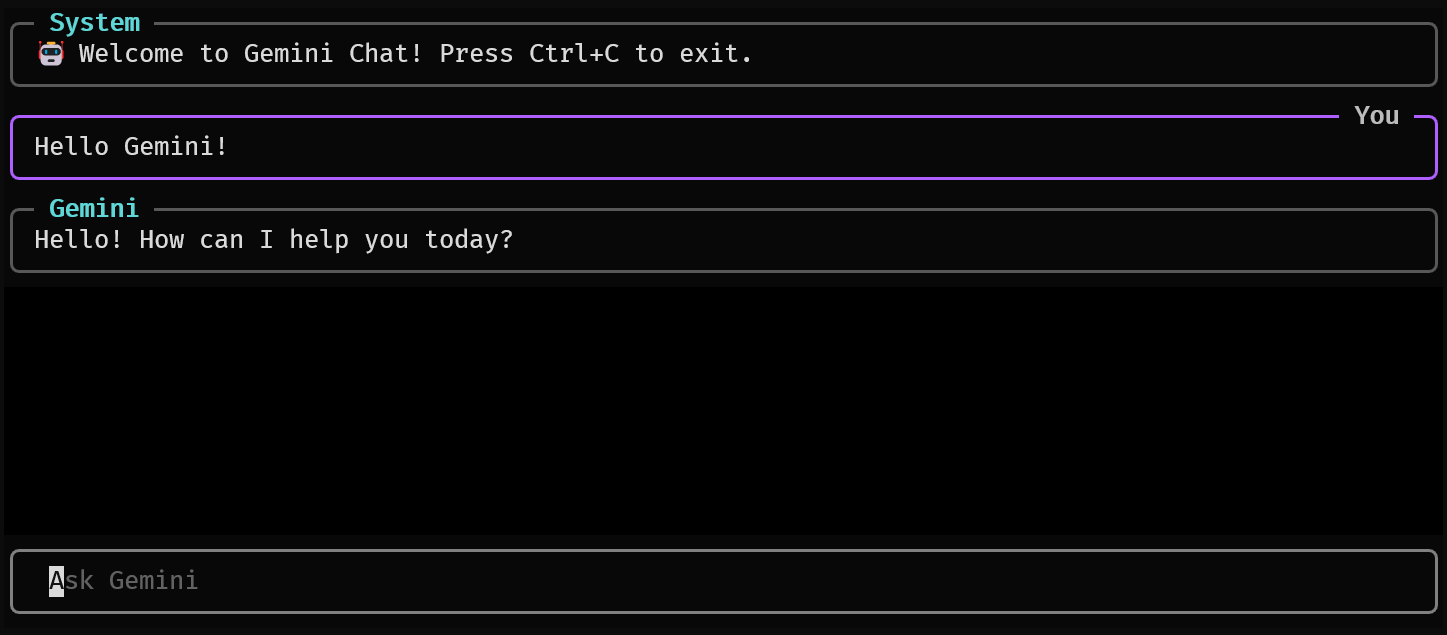
Example: Gemini Chat TUI in action inside the terminal interface.
First, clone this repository and navigate into the project folder:
git clone https://github.com/hatixntsoa/gemini.chat.tui.gitcd gemini.chat.tuiYou can use either Python’s built-in venv or uv to manage your environment.
python -m venv .venvuv --quiet venv --seed .venvsource .venv/bin/activate.venv\Scripts\activate.\.venv\Scripts\Activate.ps1The application requires a valid Gemini API key — either free or paid — which can be generated through your Google Account on the Google AI Studio API platform.
Once you have your key, create a .env file in the project’s root directory and add it as follows:
echo "GEMINI_API_KEY=your-api-key-here" > .envInstall all required packages using pip:
pip install -r requirements.txtor using uv if installed
uv pip install -r requirements.txtpython pychatui/main.pyNote: A Termux-compatible version will be released soon.
Currently,
google-generativeaidepends on gRPC (grpcio), which requires native compilation and doesn’t provide prebuilt binaries for ARM64 (used by Termux on Android).Building grpcio manually would need Rust toolchains and C/C++ build dependencies, but compilation still fails on Termux environments at this time.
Once a working build process or precompiled ARM64 wheels become available, full Termux support will be added.
-
Python 3.8+
-
Dependencies (automatically installed via pip):
python-dotenv>=1.0.0google-generativeai>=0.7.0textual>=0.77.0rich>=13.0.0
This project is licensed under the MIT License. See the LICENSE file for details.