en providers agent runners dify
If you haven't installed Dify yet, please refer to the Dify Installation Documentation to install it.
In the WebUI, click "Model Provider" -> "Add Provider", select "Agent Runner", select "Dify", and enter the Dify configuration page.
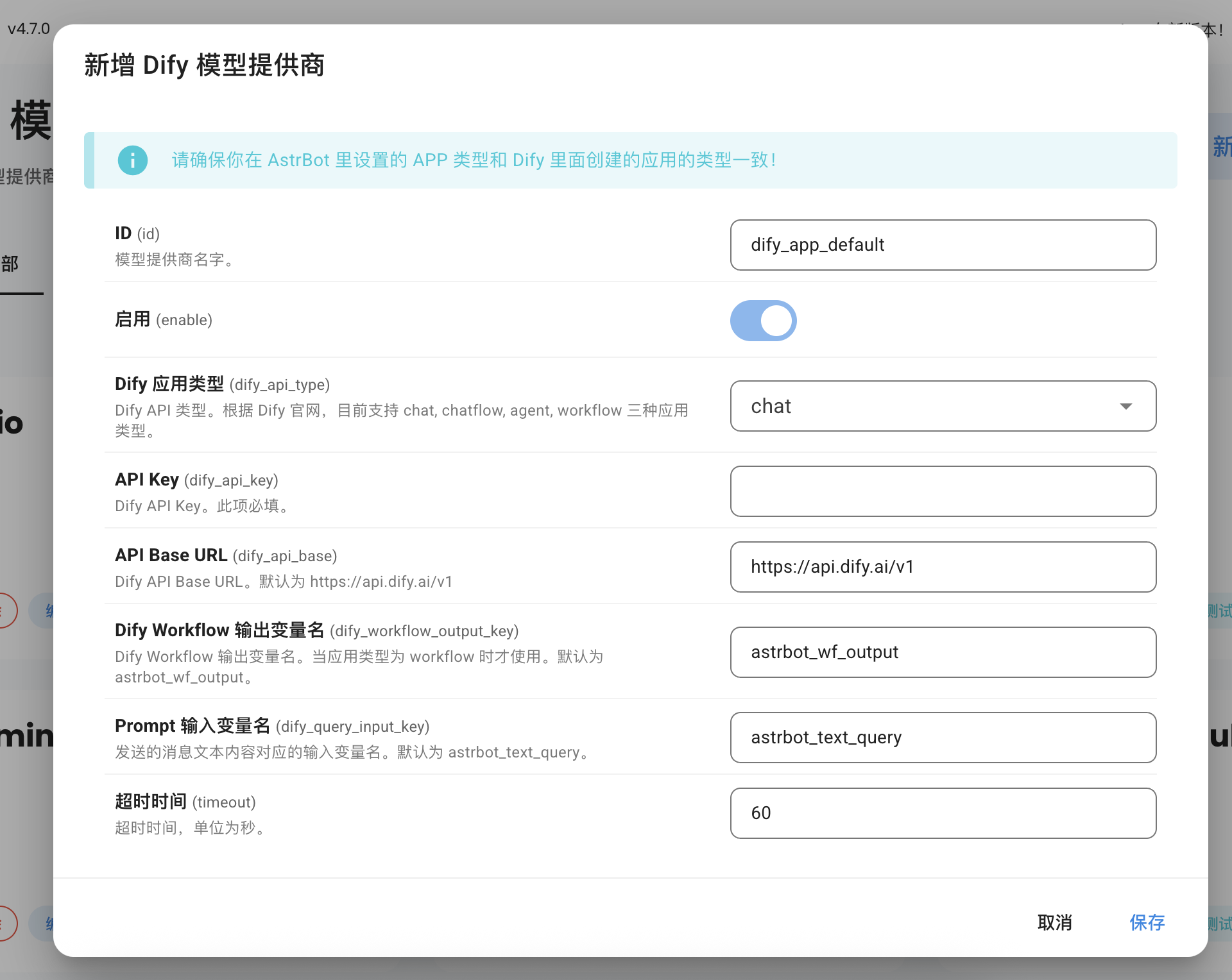
In Dify, one API Key uniquely corresponds to one Dify application. Therefore, you can create multiple Providers to adapt to multiple Dify applications.
According to the current Dify project, there are three types:
- chat
- agent
- workflow
Tip
Please ensure that the APP type you set in AstrBot matches the application type created in Dify.
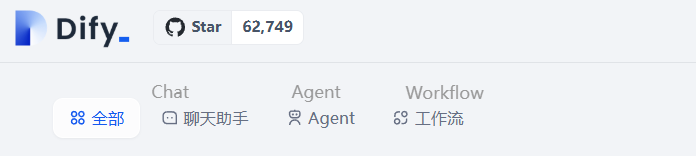
Create your Dify Chat and Agent application keys as shown in the figure below:
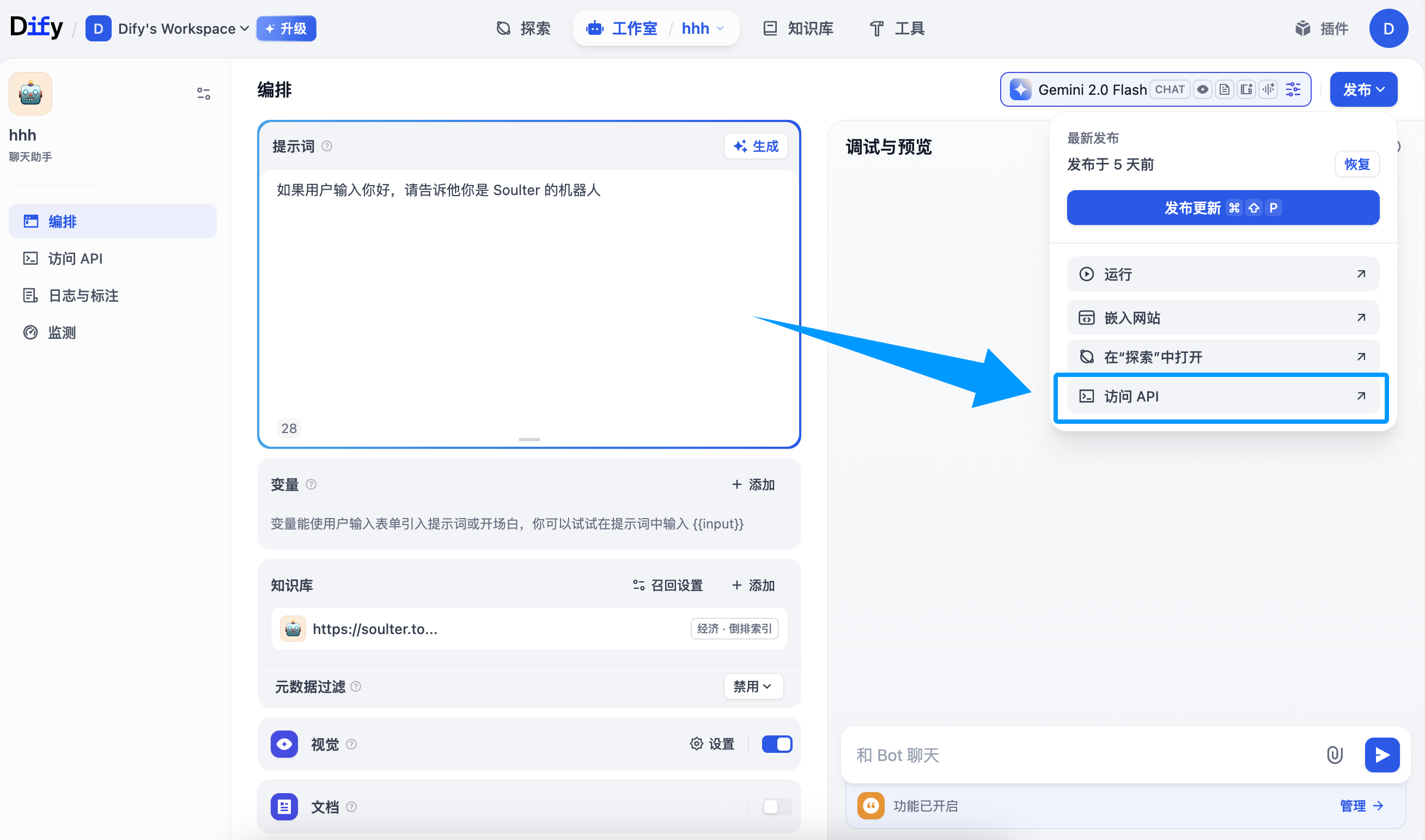
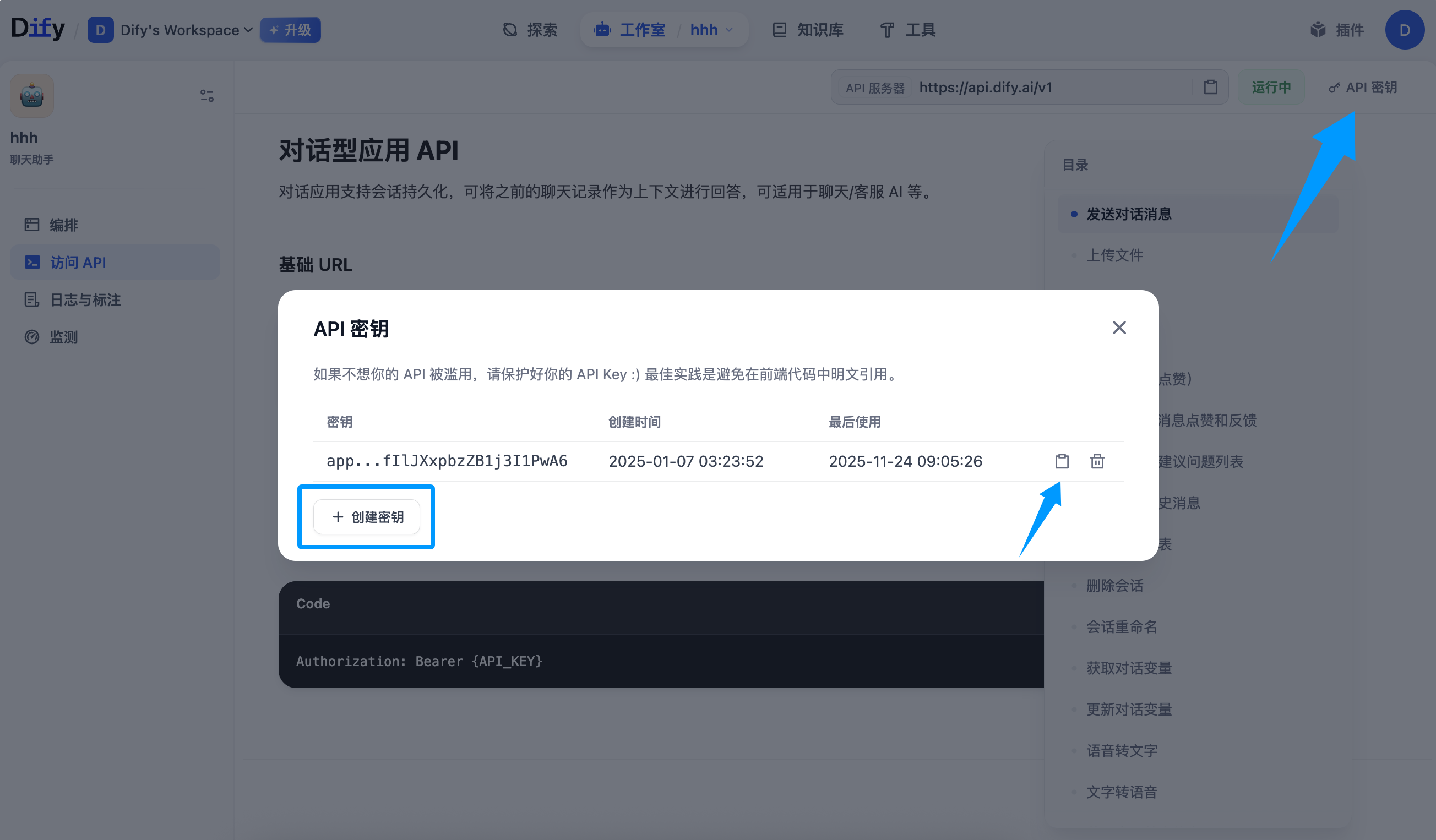
Copy the key and paste it into the API Key field in the configuration, then click "Save".
Workflow applications receive input variables, execute the workflow, and output the results.
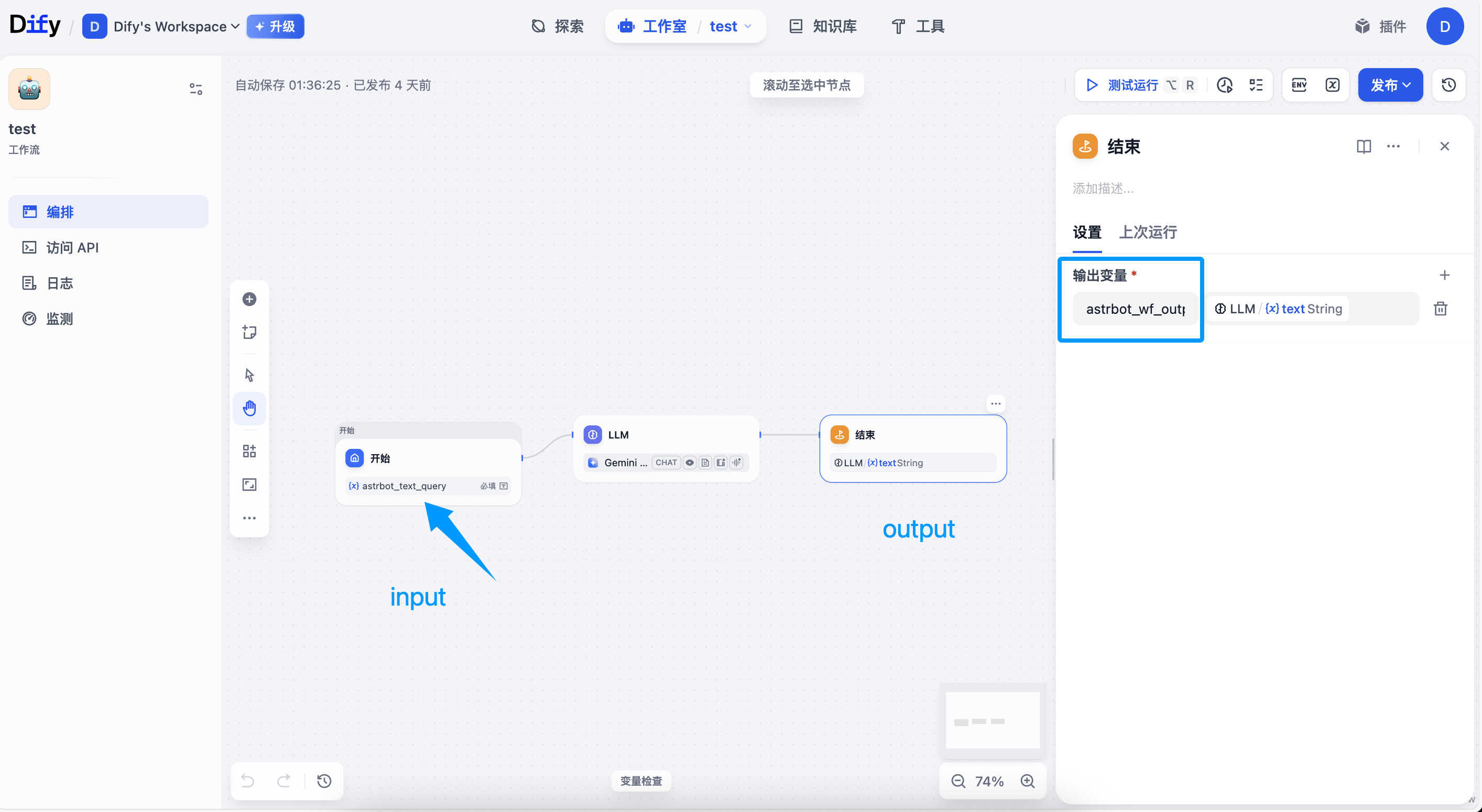
For Workflow applications, AstrBot will attach two variables with each request:
-
astrbot_text_query: Input variable name. This is the text content entered by the user. -
astrbot_session_id: Session ID
You can customize the input variable name in the configuration, which is the "Prompt Input Variable Name" shown in the figure above.
You need to modify the input variable name of your Workflow to adapt to AstrBot's input.
Finally, the Workflow will output a result. You can customize the variable name of this result, which is the "Dify Workflow Output Variable Name" in the configuration above, with a default value of astrbot_wf_output. You need to configure this variable name in the output node of the Dify Workflow, otherwise AstrBot cannot parse it correctly.
Create your Dify Workflow application's API Key as shown in the figure below:
Click the Publish button in the upper right corner -> Access API -> click API Key in the upper right corner -> Create Key, then copy the API Key.
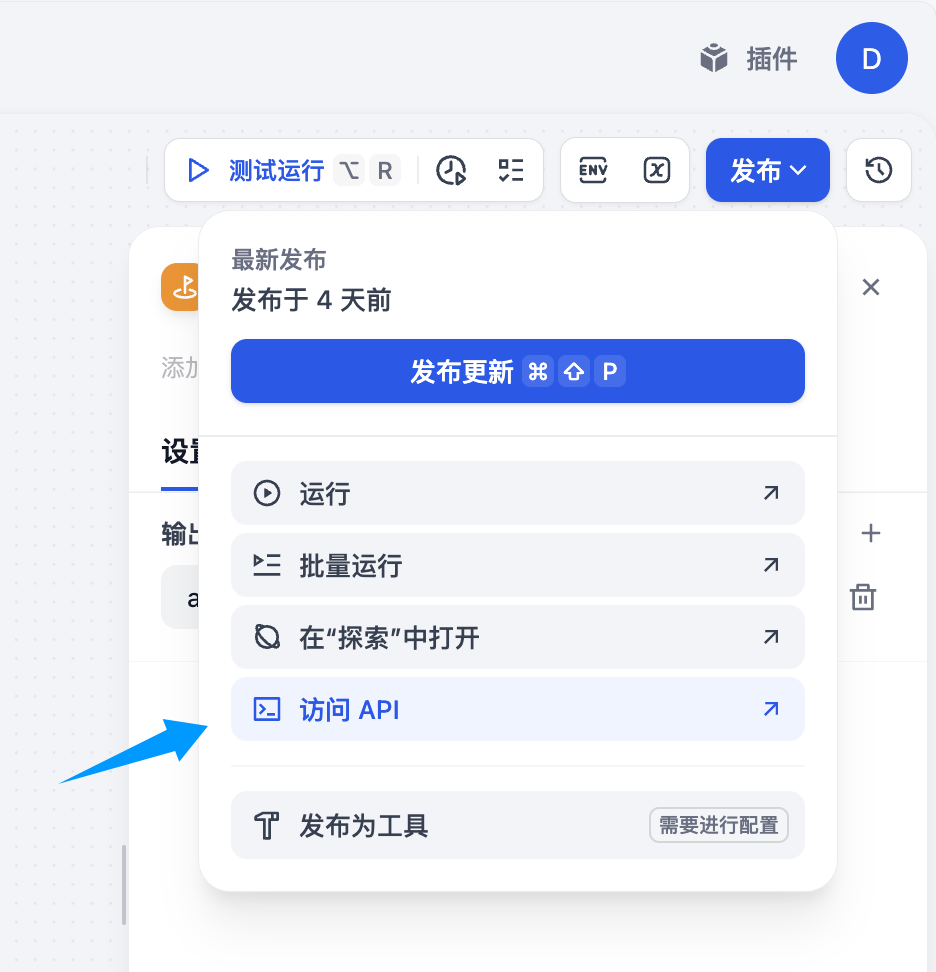
Copy the key and paste it into the API Key field in the configuration, then click "Save".
Go to the Configuration page in the left sidebar, click "Agent Execution Method", select "Dify", then select the ID of the Dify Agent Runner you just created in the new configuration options that appear below, and click "Save" in the bottom right corner to complete the configuration.
You can use the /set command to dynamically set input variables, as shown in the figure below:
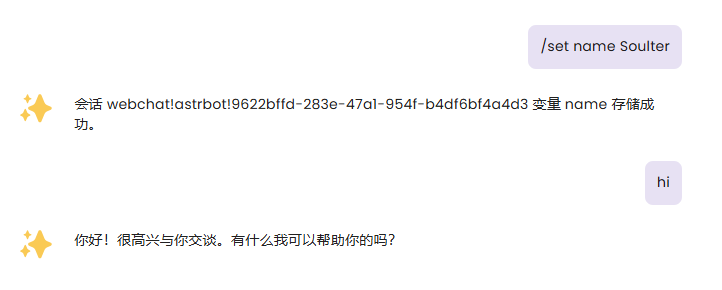
After setting variables, AstrBot will attach the variables you set in the next request to Dify, flexibly adapting to your Workflow.

Of course, you can use the /unset command to cancel the variables you set.
Variables are permanently valid in the current session.